
Stroboscopic ModeUpdated 2 months ago
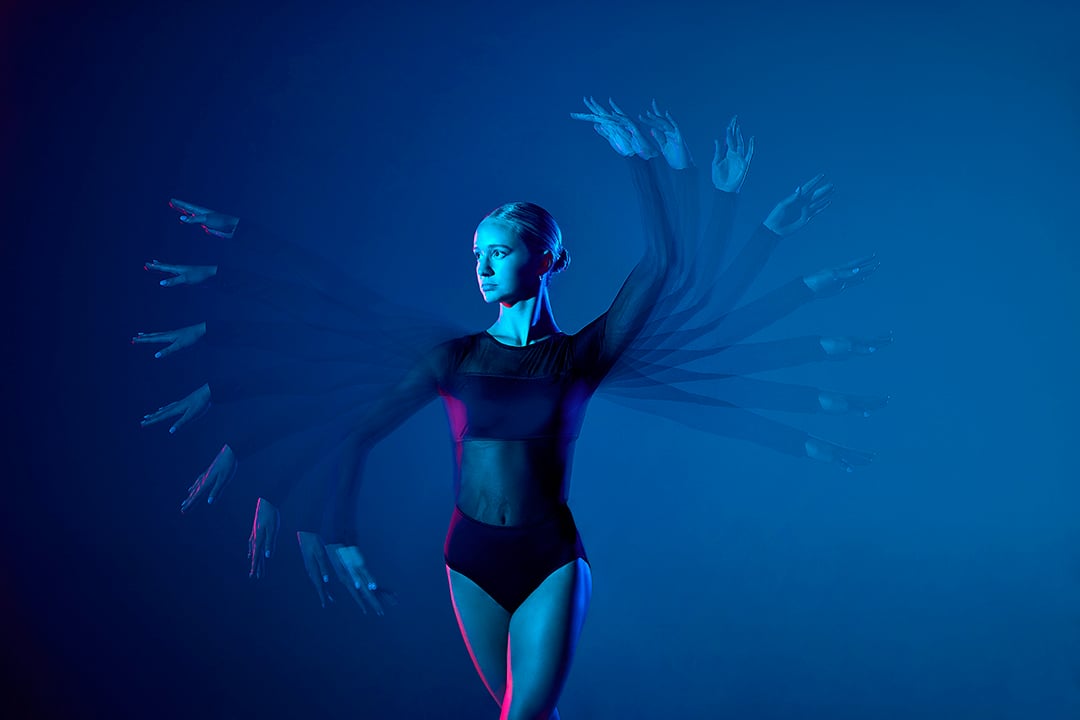
What is Stroboscopic Mode?
Stroboscopic Mode fires the flash multiple times during a single exposure. This allows a moving subject to appear multiple times in one image, creating a sequence of motion within the frame.
Two settings control the effect:
- Times Setting: The Times setting controls how many flashes will fire during the exposure. Increasing the value increases the total number of flash bursts captured in the image.
- Hz Setting: The Hz setting controls how frequently the flashes fire per second. A higher Hz value means the flashes fire more rapidly, compressing the motion sequence into a shorter period of the exposure.
Your shutter must stay open long enough for every pulse to fire. The minimum exposure time is approximately TIMES ÷ Hz seconds.
Example: 10 flashes (TIMES) at 5 flashes per second (Hz) needs a shutter open for at least 2 seconds.
Which FJ Westcott products support Stroboscopic Mode?
- FJ100 Speedlight: On camera and off camera.
- FJ100 Strobe: Off camera, with full control using the FJ100 as the Host and limited control using FJ-X triggers.
- FJ-T1: Full control with the FJ100 Speedlight and FJ100 Strobe
- FJ250, FJ400II, FJ800: coming soon!
Understanding the Settings
| Setting | What it does | Range | Notes |
|---|---|---|---|
| POWER | Output per flash | 1 - 7 (1/256 - 1/4) | Full power limited to allow for rapid fire. |
| TIMES | Number of flashes | 1 - 100 | Limited by POWER and Hz |
| Hz | Flashes per second | 1 - 500 | Higher Hz = fewer TIMES |
The maximum achievable TIMES depends on the POWER and Hz settings.
Example:
- At POWER 7.0, TIMES can be set to 8 while Hz is set to 1. This is 8 flashes at 1 per second.
- Or at POWER 7.0, TIMES can be set to 2 while Hz is set to 500. This is 2 flashes at 500 per second, not 500 flashes.
- 2 flashes within about 1/250 of a second (TIMES ÷ Hz seconds); the flash is firing 2 times at a rate of 500 per second.
Setting up Stroboscopic Mode
Before You Begin
- Confirm the flash battery is fully charged for best performance (stroboscopic sequences are power-intensive).
- Update all equipment to the latest firmware at www.fjwestcott.com/pages/firmware
- Be mindful of heat buildup. Rapid, repeated flashing generates heat quickly; the FJ100 Strobe and Speedlights multi-stage heat protection (OH indicator) may extend recycle times or pause output during long sessions.
- Set your camera to Manual mode with a shutter speed long enough to cover the full flash sequence (TIMES ÷ Hz). Or, define the shutter speed needed to capture the flow of action, and use the formula to aid in figuring the TIMES and Hz ratio.
- Use a dark background so overlapping ambient light doesn't wash out the frozen positions.
- Keep the subject moving across the frame so each pulse lands in a separate area; a stationary subject will simply stack in place.
- Use a tripod for consistency across the exposure.
On-Camera Stroboscopic (FJ100 Speedlight)
- Press the physical Home button to return to the Main Menu.
- Tap Speedlight, then pull up on the tab at the bottom of the display to access the Speedlight Submenu.
- Tap STROBO to enable Stroboscopic Mode.
- To exit, swipe up and double-tap EXIT STROBOSCOPIC.
Off-Camera Stroboscopic
- FJ-T1
- Groups (A–F) can be enabled or disabled in Stroboscopic mode. Disabled groups are displayed in gray, while enabled groups are outlined in their assigned Group color. Tap the corresponding Group letter to toggle the group between the enabled and disabled states.
- To enable stroboscopic mode, enter the settings and tap the three lightning bolt icon.
- Enable desired groups by tapping the group letter.
- Enabled groups will have their group letters filled with the group color when enabled.
- Disabled groups will have their group letters filled in white and will not fire.
- Enable desired groups by tapping the group letter.
- To exit to the main menu press the power button twice.
- To enable stroboscopic mode, enter the settings and tap the three lightning bolt icon.
- FJ100 Speedlight (HOST)
- Press the physical Home button to return to the Main Menu.
- Tap Host, then pull up on the tab at the bottom of the display to access the Host Submenu.
- Tap STROBO to enable Stroboscopic Mode.
- To exit, swipe up and double-tap EXIT STROBOSCOPIC.
- FJ-X Trigger
- At this time, stroboscopic control is limited with the FJ-X trigger. You can still use the feature using the trigger by enabling Master Lock and adjusting the STROBO settings directly on the FJ100 Strobe unit.
- FJ100 Strobe
- Enable stroboscopic mode on the FJ100 Strobe.
- Set the POWER, TIMES, and Hz, to your desired parameters.
- Locate the Master Lock setting and enable it.
- FJ100 Strobe
Note: While Master Lock is enabled, the FJ-X trigger will only "trigger" the FJ100 Strobe to flash. All stroboscopic settings are controlled on the FJ100 Strobe.